Wired vs. Wireless: What Actually Makes Your Home Internet More Reliable
Not every buffering problem needs new wiring. Here’s how to tell when structured cabling is worth it versus when smarter Wi-Fi placement will fix your Houston home’s internet.
When a video call freezes or a smart TV keeps dropping to “connecting,” it’s tempting to blame the internet provider—or to buy another mesh node and hope for the best. In Houston-area homes, the real answer is often simpler: some devices need a wired path, and some rooms just need better wireless coverage. Understanding the difference saves money and avoids stacking gear that never quite solves the problem.
First Choice Smart Solutions helps homeowners decide when Cat6 (or similar) structured cabling is the right foundation, and when a well-planned Wi-Fi layout is enough. This guide walks through both paths in plain language so you can match the fix to how your household actually uses the network.
What “reliable” internet really means at home
Speed tests on a phone next to the router tell only part of the story. Reliability is about whether the connection holds up where you use it: upstairs bedrooms, a media room, a home office, or a backyard patio. Wi-Fi is shared and sensitive to walls, distance, and interference. A wired Ethernet link gives a dedicated path from a device to your network gear, so it isn’t competing for the same radio airtime as phones, tablets, and guests.
Houston homes add a few practical wrinkles. Larger footprints, multi-story builds, and construction materials like brick, concrete, and metal framing can weaken wireless signals. Open-concept living areas may look easy to cover until you add thick interior walls, attic heat, or a metal roof. None of that means every room needs a cable—it means you should plan coverage and cabling around how the house is built, not around a one-size-fits-all router box.
When wired Cat6 and structured cabling help most
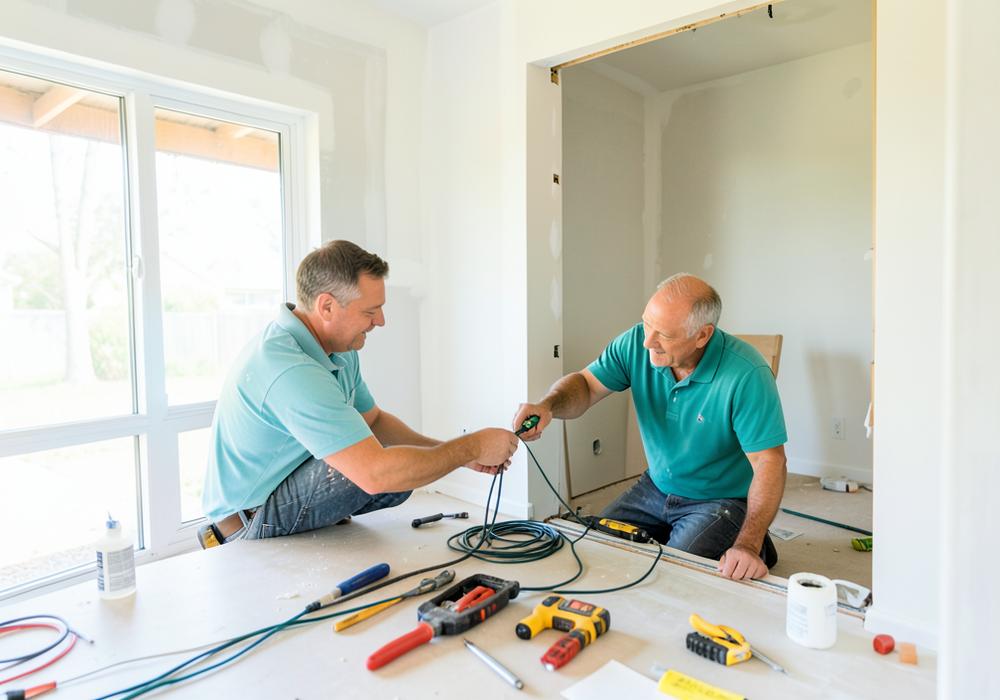
Structured cabling is a planned network of Ethernet runs (often Cat6) from a central panel or closet to key rooms and equipment locations. Those runs feed wall jacks, access points, TVs, desks, and security gear so the backbone of the home network is physical and predictable.
Wiring is usually worth prioritizing when a device stays in one place and needs steady performance. Streaming boxes and gaming consoles in a media room, desktop computers in a home office, network video recorders, and primary Wi-Fi access points all benefit from Ethernet. Backhauling mesh or access points over cable—rather than wirelessly hopping between nodes—often makes the whole Wi-Fi system feel more consistent because the access points themselves aren’t fighting for bandwidth.
New construction and major renovations are the easiest times to pull cable. Walls are open, runs can be labeled and terminated cleanly, and you can leave spare drops for future TVs or workspaces. In finished homes, fishing cable is still possible in many Houston properties, but cost and complexity rise with finished ceilings, slab foundations, and limited attic access. A short assessment can tell you whether a few strategic drops will solve more than adding another wireless unit.
Think of Cat6 as infrastructure, not a gadget. Once it’s in place, upgrading routers or access points later is simpler because the hard part—getting a clean path through the house—is already done.
When better Wi-Fi placement is enough
Plenty of households don’t need new Ethernet everywhere. If your pain points are mostly phones, tablets, and laptops moving from room to room—and wired gear already works fine—improving wireless design is often the right move. That usually means fewer, smarter access points in better locations rather than one overloaded gateway shoved in a closet or utility room.
Placement matters more than brand hype. An access point in a hallway or central living space often outperforms a powerful router hidden behind a TV cabinet. Multi-story homes frequently need coverage on each level instead of expecting a single unit downstairs to punch through floors. Outside seating areas may need a weather-aware plan, but many patios improve simply because an indoor access point finally faces the glass doors instead of pointing into a garage.
Wi-Fi upgrades are also a good fit when you rent, when walls can’t be opened reasonably, or when the only weak spots are a guest room and a corner office. In those cases, a tuned mesh or professional access-point layout can restore day-to-day usability without a full cabling project. The key is honest goals: wireless will always share spectrum; it can feel excellent for browsing and streaming on phones, but it won’t magically match a wired desk for heavy uploads, large file transfers, or latency-sensitive work.
A practical way to choose: wire the anchors, wireless for roaming
The most dependable home networks blend both approaches. Cable the “anchors”—gear that never moves and that carries a lot of traffic—then design Wi-Fi for people and portable devices. That hybrid model keeps media rooms and offices stable while phones stay connected as you walk from kitchen to upstairs bedroom.
If you’re building or remodeling in the Houston area, ask for Ethernet to TV locations, office desks, and ceiling or high-wall spots for access points. Even if you only activate a few jacks at first, having the runs ready avoids tearing into drywall later. If you’re in an existing home and not ready for cabling, start with a coverage walkthrough: note dead zones, device types, and whether problems happen on one floor or everywhere. That map usually makes the wired-versus-wireless decision obvious.
Homeowner tips before you buy more gear
- List the stuck-in-place devices first (TVs, desktops, cameras hubs, game consoles). Those are the best Ethernet candidates.
- Check where your current gateway or modem lives. A closet or garage corner is often a coverage problem, not a “bad ISP” problem.
- Walk the house with one phone and note rooms that drop video calls or load slowly. Patterns by floor or wing point to placement issues.
- Prefer wired backhaul for mesh or access points when you can pull cable; wireless backhaul is a compromise, not a free upgrade forever.
- During renovations, pull labeled Cat6 to media walls and planned AP locations even if you won’t use every jack on day one.
- Avoid stacking random extenders. Overlapping, poorly placed nodes can create more roaming headaches than they solve.
- If you work from home, treat the desk like infrastructure: a single Ethernet drop often feels better than another wireless unit upstairs.
Reliable internet at home is less about chasing the newest wireless generation and more about matching the medium to the job. Wired Cat6 and structured cabling stabilize the rooms and devices that matter most. Thoughtful Wi-Fi placement covers the people who move. Put those pieces together, and Houston homes stop fighting the network—and start using it.
If you’d like a clear recommendation for your layout, First Choice Smart Solutions can review your rooms, construction type, and must-work devices, then plan cabling, Wi-Fi, or both so the fix fits the house you actually live in.